


.avif)
Table of Contents

Key Takeaways
- Spear phishing is a targeted cyberattack that uses a victim's personal or professional information to make fraudulent messages appear more credible.
- Spear phishing can lead to financial losses and data leaks by tricking victims into transferring funds or exposing personal and business information.
- Verification and vigilance are the first lines of defense. Always verify the sender's identity and avoid clicking links or opening attachments from unverified sources.
Amid the rising threat of cybercrime, phishing has become one of the most common methods of digital fraud used to steal data and sensitive information. However, not many people are aware that there is an equally sophisticated type of phishing known as spear phishing.
What is Spear Phishing?
Unlike traditional phishing, which targets a large number of people with generic messages, spear phishing is a highly targeted attack aimed at specific individuals or organizations. Attackers personalize their messages using the victim's personal or professional information, making the communication appear more legitimate and trustworthy.
Because these messages are tailored to the recipient, spear phishing attacks are often much harder to detect and generally have a higher success rate than traditional phishing.
Spear Phishing vs Traditional Phishing, Here’s the Difference
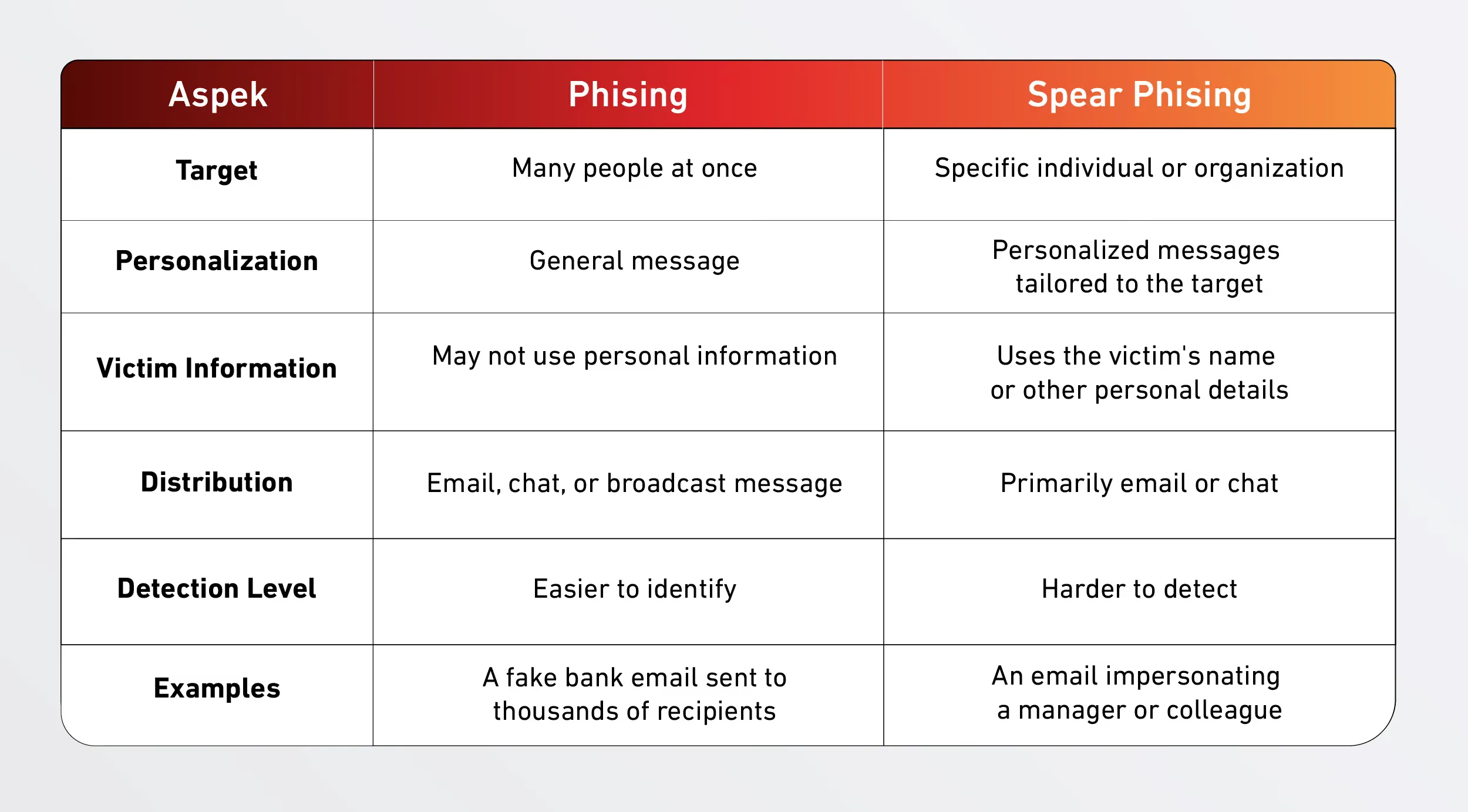
Examples of Spear Phishing Tactics
To make it easier to recognize and understand, here are a few examples of spear phishing that commonly occur in the workplace. Please note that the examples below are illustrations created for educational purposes only.
1. Impersonating Boss/Superior to Transfer Money
The fraudster creates an email address resembling that of a company executive and sends an urgent request for a money transfer.
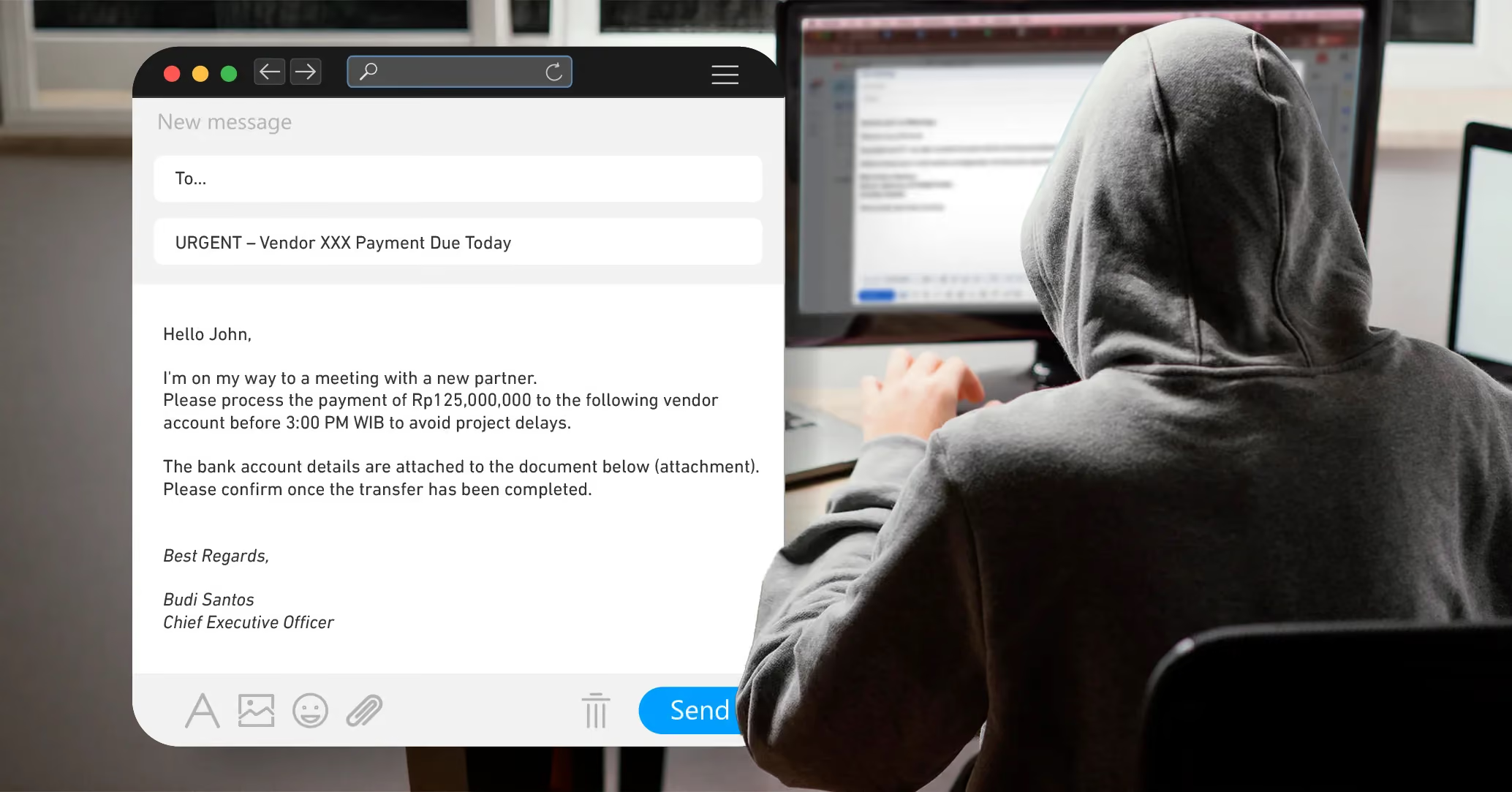
Warning signs: The email has an urgent tone, requests a fund transfer within a very short timeframe, and uses an email address that superficially resembles the company's official address.
2. HRD Email Contains Important Document Links
The fraudster impersonates the Human Resources (HR) department and directs employees to a fake login page designed to steal account credentials.
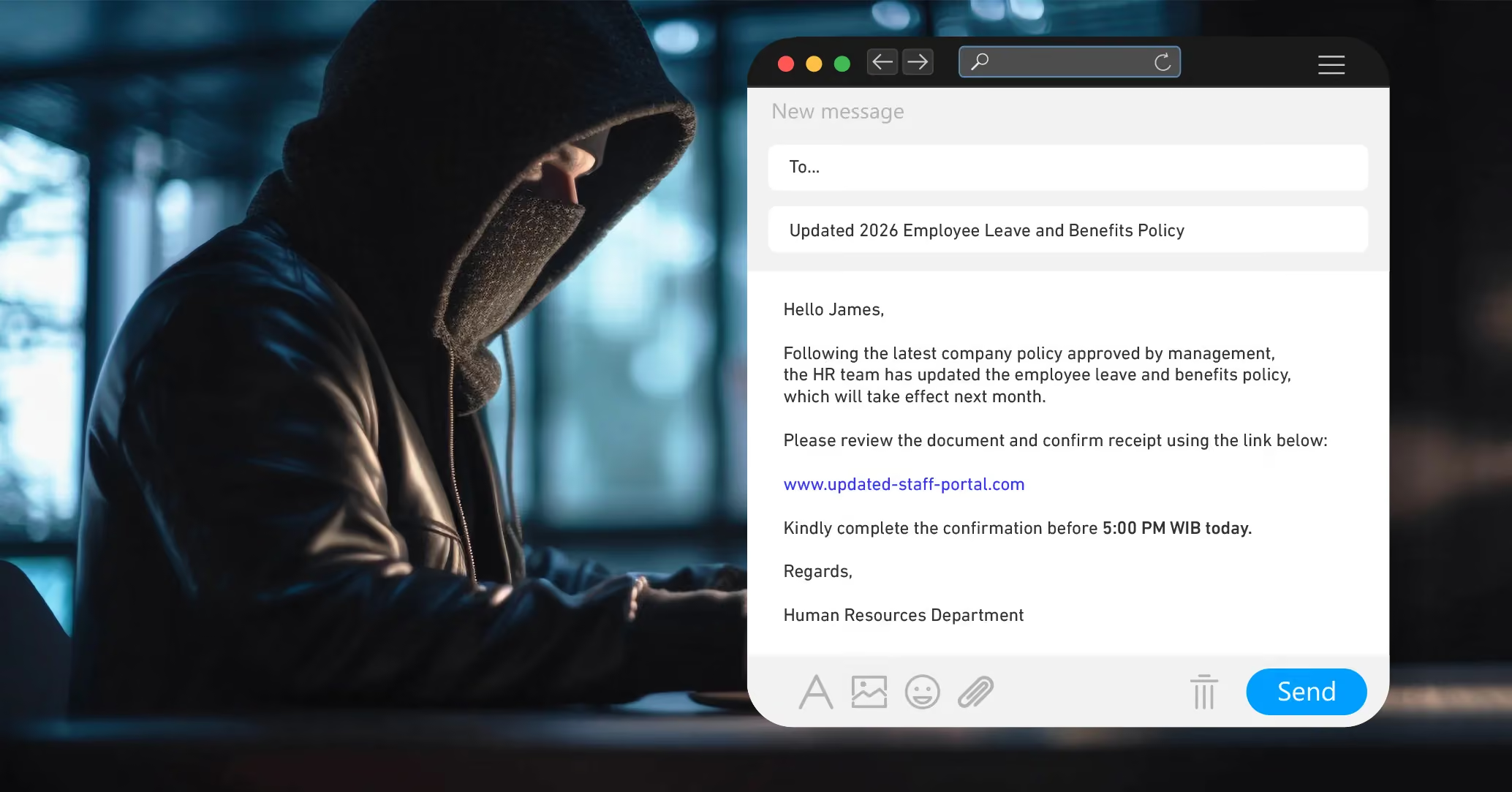
Warning signs: The link does not use the company's official domain, and a tight deadline is included to pressure the recipient into acting quickly.
3. Vendor Invoice with a Changed Payment Account
The fraudster impersonates a vendor the company regularly does business with and sends an invoice listing a changed bank account number.
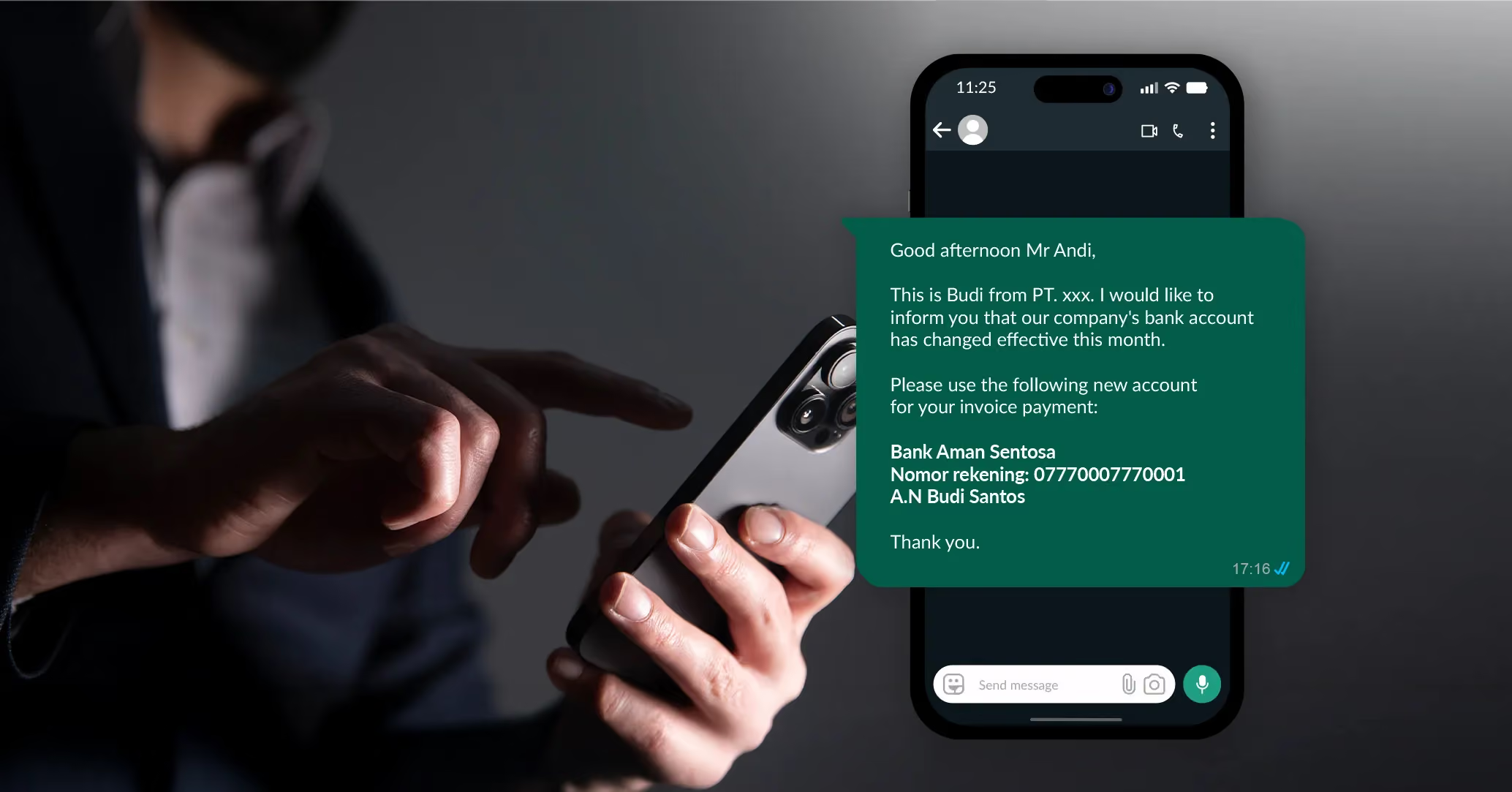
Warning signs: A change in payment account details is provided without prior notice through official channels or the usual point of contact.
Risks of Spear Phishing
Although spear phishing attacks may appear harmless at first glance, they can have serious consequences for both individuals and businesses.
1. Account Takeover
If fraudsters obtain login credentials, they can take over the victim's accounts, from email and social media accounts to financial services. This access is often exploited to conduct unauthorized activities or obtain additional, more sensitive data.
2. Financial Loss
Spear phishing can result in unauthorized transactions, fraudulent fund transfers, or the misuse of payment information, leading to significant financial damage.
3. Misuse of Personal and Business Data
Personal data such as ID numbers, email addresses, phone numbers, or company information can be exploited for various fraudulent activities. In some cases, this data can also be sold to other parties for use in further attacks.
How to Prevent Spear Phishing Before You Become a Victim

Because spear phishing is designed to appear legitimate, staying vigilant is one of the most effective ways to protect yourself.
1. Always Verify the Sender's Identity
If you receive a message requesting sensitive information, account changes, or financial transactions, do not act immediately. Verify the sender through an official communication channel, such as calling the company or contacting the individual directly.
2. Check Links and Attachments Before Opening
Avoid clicking links or opening attachments without first verifying their legitimacy. Check the destination URL carefully and ensure it comes from a trusted source. This simple step can help reduce the risk of data theft and malware infections.
3. Enable Additional Security Features
Use security measures such as multi-factor authentication (MFA), strong passwords, and up-to-date device security. These additional layers of protection help prevent unauthorized access, even if your login credentials are compromised.
At DOKU, merchants can enable 2-Step Verification as an additional layer of security when accessing their accounts. With this feature,logging in requires not only a password but also a verification code delivered via SMS or generated through authentication apps such as Google Authenticator or Microsoft Authenticator. This significantly reduces the risk of unauthorized account access, even if login credentials are exposed.


